Luau code assistant
AI Roblox Script Generator
BloxToolKit's AI code assistant writes Luau scripts for Roblox from a plain-English prompt. Describe a system, like a sword attack, a building tool, a shop UI or a farming loop, and it generates code you can drop into Roblox Studio. Each generation costs 1 credit.
Updated
Examples made with BloxToolKit
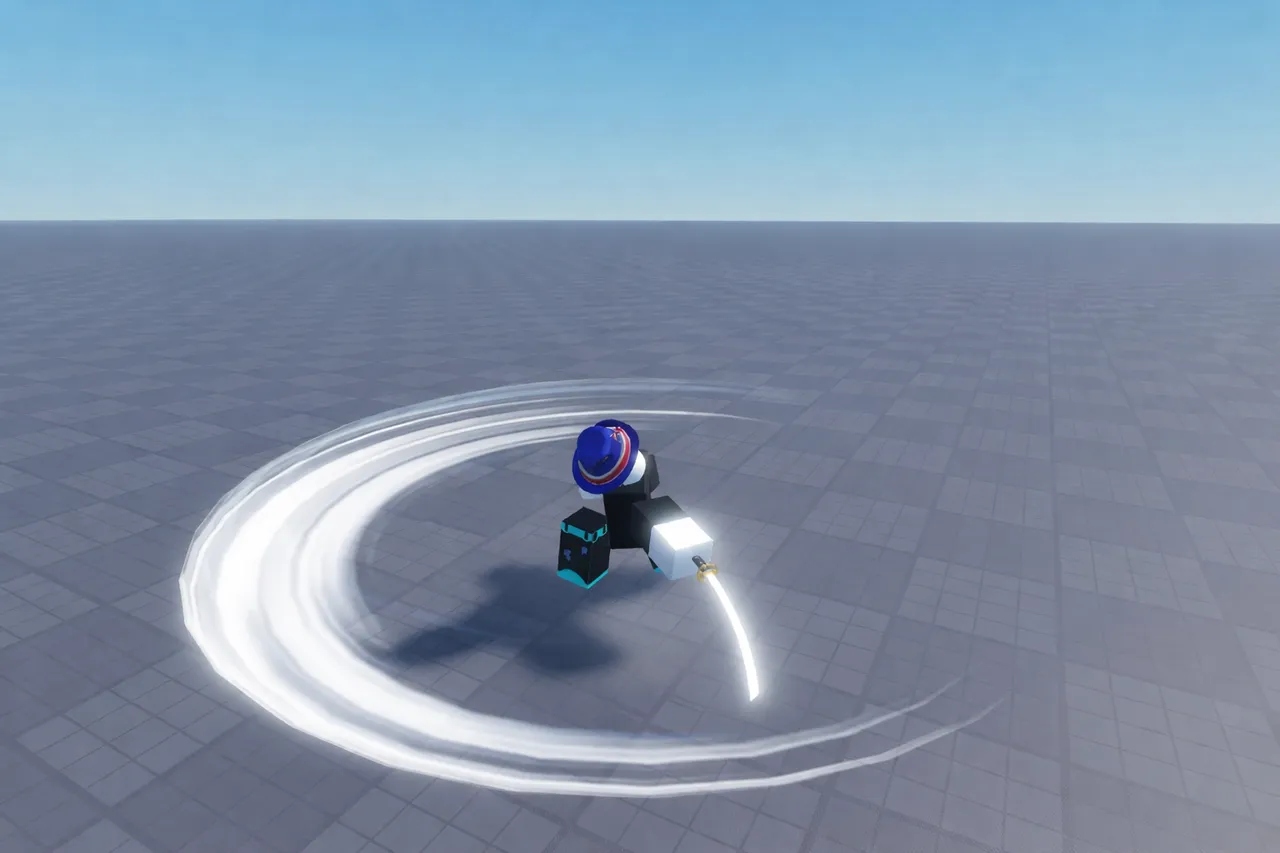
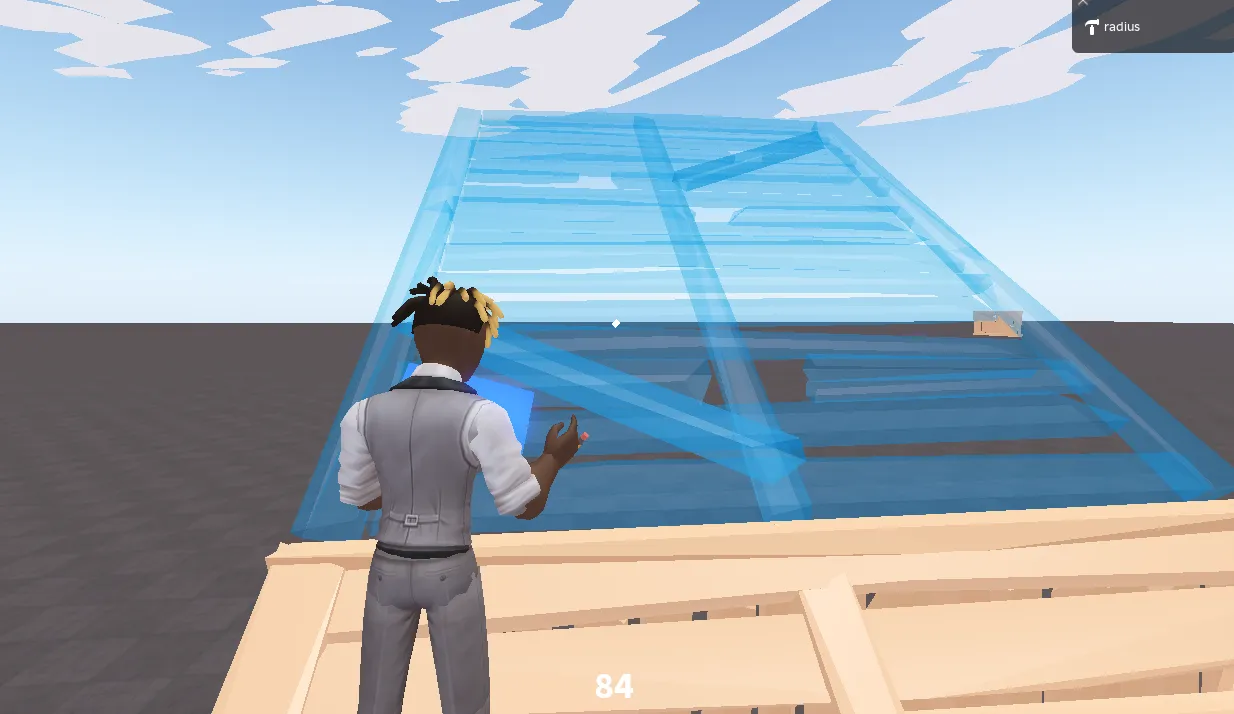
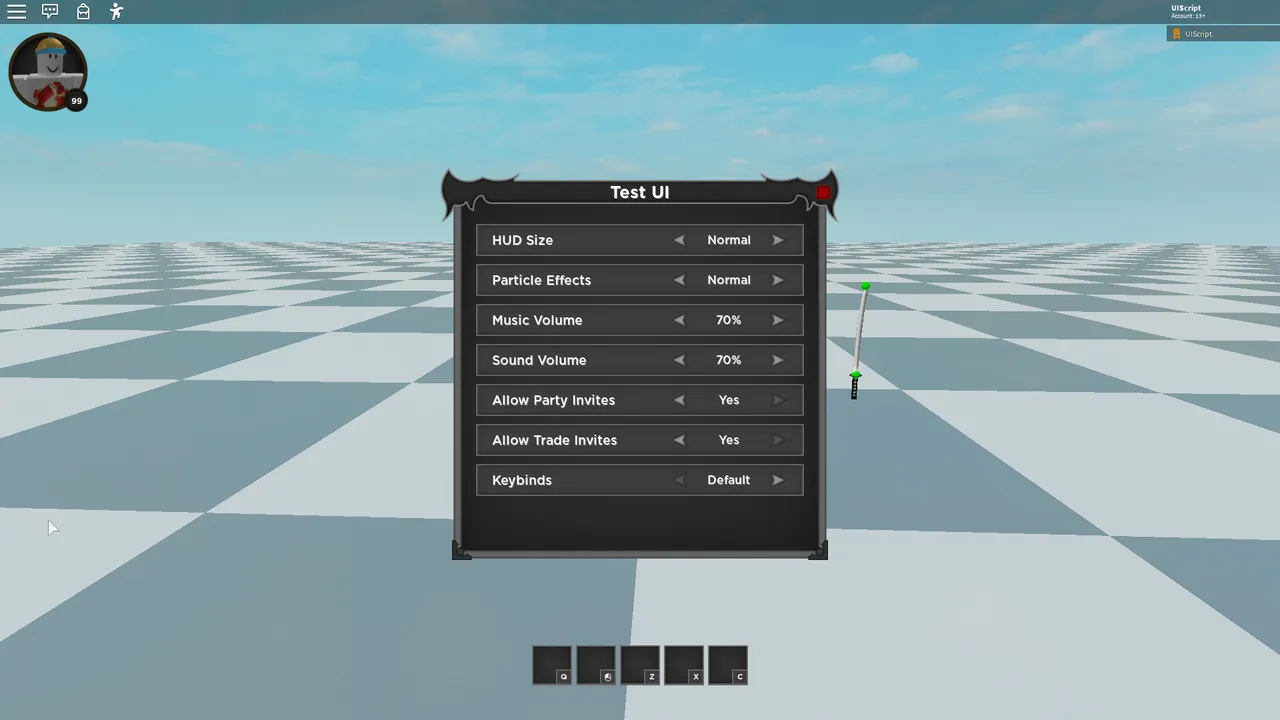
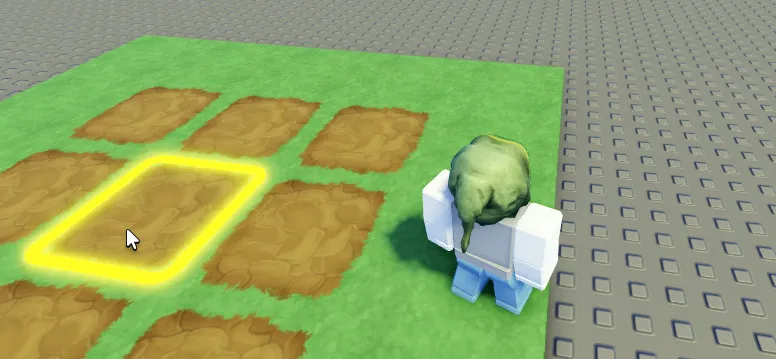
Each image below was generated from the prompt underneath it.
Systems you can generate
| System | Example prompt |
|---|---|
| Combat | Create a sword attack system using @Attack script. |
| Building | Make a building system that places @Ramps when clicking the map. |
| UI | Build a UI with buttons that deduct HUD changes using @Settings system. |
| Farming | Create a farming system with plantable crops using @Seed mechanics. |
The @ mentions point the assistant at a specific script or system in your request, so it knows what to build on.
How to generate a Roblox script with AI
- 1
Describe the feature
Say what should happen, who triggers it and what changes. For example: "When a player clicks a crop that is fully grown, harvest it and add 5 coins to their leaderstats."
- 2
Generate the Luau code
The assistant writes the scripts for the system.
- 3
Paste into Roblox Studio
Put server logic in ServerScriptService and client logic in StarterPlayerScripts or a LocalScript, as the output describes.
- 4
Playtest and iterate
Test in Studio, then ask for changes or fixes in a follow-up prompt.
Tips for better AI-generated Roblox code
- Ask for one system at a time instead of a whole game.
- Say where values live, such as leaderstats, attributes or a DataStore.
- Mention the client/server split for anything players shouldn't be able to cheat.
- Paste the error from the Output window when something breaks and ask for a fix.
- Always playtest before publishing. AI code is a fast first draft, not a substitute for testing.
Frequently asked questions
Related
- Roblox Game Idea GeneratorGenerate complete Roblox game ideas with AI: hook, core loop and monetization, tuned to what's feasible on Roblox. Control how unique the idea is.
- Best AI Tools for RobloxThe best AI tools for Roblox creators in 2026: AI for thumbnails and icons, game ideas, Luau scripting and in-Studio help, and what each is best at.
- Roblox Thumbnail MakerMake click-worthy Roblox game thumbnails with AI. Type a prompt, pick a style preset, and get Roblox-style thumbnails in seconds. 12 styles, 2K/4K HD.
- PricingBloxToolKit pricing: Starter $19/mo (500 credits), Growth $39/mo (1,200 credits), Pro $79/mo (2,800 credits). Save up to 37% with yearly billing.
Make your next Roblox hit with BloxToolKit
Thumbnails, icons, game ideas and Luau scripts in one toolkit. Plans start at $19/month.